
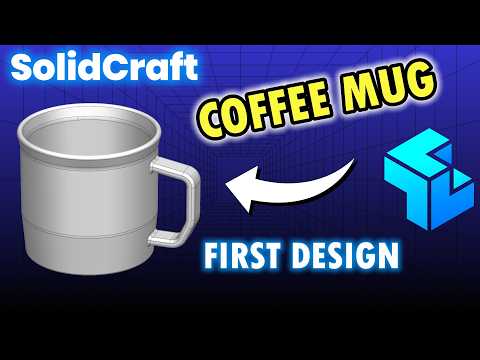
Are you ready to dive into the world of 3D Computer-Aided Design (CAD)? Designing everyday objects is one of the best ways to build your digital modeling skills from the ground up. In this quick guide, you will learn how to design a realistic coffee cup using SolidCraft, focusing on essential techniques and precision sketching.
Why Start with a Coffee Cup?
A coffee cup might seem simple at first glance, but it incorporates several core 3D modeling concepts. From basic cylindrical geometries to smooth handle sweeps and ergonomic curves, this classic exercise serves as the perfect training ground for beginner and intermediate CAD users alike.
The Importance of Fully Constrained Sketches
Before generating 3D features, every successful model begins with a solid 2D foundation. When building your project in SolidCraft, ensuring your sketches are fully constrained is crucial. A fully constrained sketch means all dimensions, relations, and geometric constraints (such as tangency, parallelism, and horizontal alignment) are completely defined. This habit prevents accidental movement of your geometry and makes future parametric edits effortless.
Core Steps to Model Your Coffee Cup
- Revolve the Main Body: Start by sketching half of the cup's vertical cross-section on a primary plane. Define the height, base diameter, and top lip width, then apply a Revolve feature around the central axis.
- Hollow the Cup: Utilize the Shell feature to hollow out the interior, specifying a uniform wall thickness to mimic standard ceramic stoneware.
- Draft the Handle: Draw a smooth curve for the handle path on a mid-plane extending from the cup body. Sketch a comfortable cross-sectional profile at the start of the path and use the Sweep tool to create the handle geometry.
- Refine with Fillets: Round off sharp transitions around the rim, base, and handle connection points using fillets. This step adds practical realism and visual polish to your final model.
Take Your Skills Further
Mastering these essential practices within SolidCraft equips you with a versatile workflow that applies to endless product design challenges. Open your workspace today, start sketching, and create your very own customized 3D coffee cup!


