
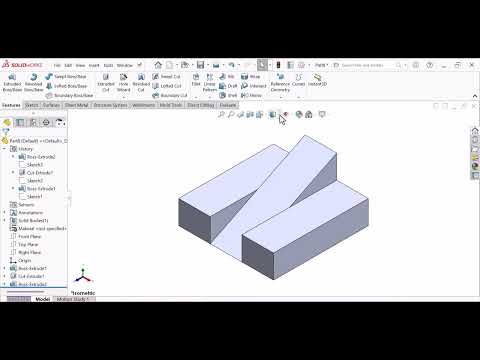
Designing complex components in a 3D Mechanical CAD environment can sometimes be frustrating, especially when feature errors disrupt your workflow. If you have ever struggled with adding intricate fillets or drafts to a detailed model in SOLIDWORKS, you know how critical feature ordering can be. Fortunately, SOLIDWORKS offers a powerful automated helper called FeatureXpert to solve these geometric challenges effortlessly.
What is FeatureXpert in SOLIDWORKS?
FeatureXpert is an intelligent built-in utility within SOLIDWORKS designed to handle feature management automatically. Powered by SOLIDWORKS Xpert technology, its main role is to manage constant-radius fillets and neutral-plane drafts when standard feature creation fails.
Instead of requiring you to manually reorder your design tree or tweak complex parameters, FeatureXpert analyzes the geometry within your 3D Mechanical CAD software and automatically adjusts feature relationships to make the operation succeed.
Why Beginners Should Use FeatureXpert
For newcomers to CAD modeling, figuring out the correct order of operations can involve a lot of trial and error. FeatureXpert eliminates this guesswork by offering several key advantages:
- Automated Feature Reordering: It automatically shifts the sequence of fillets and drafts in the FeatureManager design tree to resolve geometric conflicts.
- Time-Saving Automation: Prevents you from wasting hours manually troubleshooting why a specific feature refuses to rebuild.
- Improved Design Stability: Helps maintain clean, robust models that are easy to edit and update later in the production process.
How to Use FeatureXpert Step-by-Step
Using FeatureXpert in your daily modeling routine is remarkably straightforward:
- Apply a Feature: Attempt to create a fillet or draft on your model as you normally would.
- Launch FeatureXpert: If the operation fails due to geometric complexity, a warning dialog will appear. Click the FeatureXpert button within the PropertyManager.
- Automate the Solution: FeatureXpert will automatically reorganize the feature order, test different configurations, and successfully apply the feature to your model.
Conclusion
Leveraging smart features like FeatureXpert allows designers and engineers to focus on product innovation rather than troubleshooting software errors. By incorporating this tool into your 3D Mechanical CAD workflow, you can drastically reduce modeling stress and build better designs in SOLIDWORKS faster.


