
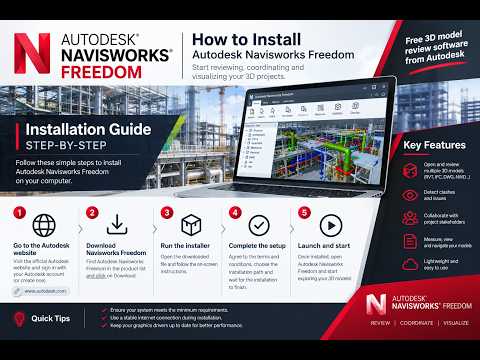
Navisworks Freedom is an essential 3D viewer designed for architects, engineers, and construction professionals. If you need to review complex 3D models, inspect NWD files, or collaborate with team members without purchasing an expensive license, this tool is the ideal solution. As a leading software developer in the industry, Autodesk provides this powerful application completely free of charge.
In this quick tutorial, we will walk you through the simple step-by-step process of downloading and installing the latest version of Navisworks Freedom on your computer.
Why Use Navisworks Freedom?
Before getting started with the setup, here are a few key reasons why this application is widely used across the AEC (Architecture, Engineering, and Construction) sector:
- No License Required: It is 100% free to download and use without an active subscription.
- Comprehensive 3D Viewing: Smoothly open and explore NWD and 3D DWF file formats.
- Streamlined Collaboration: Share project models with clients and team members to review design details without modifying original source files.
Step-by-Step Download and Installation Guide
Follow these straightforward steps to get the software installed on your system:
- Visit the Official Download Page: Open your web browser and navigate to the official Autodesk free software downloads section.
- Select the Latest Version: Find Navisworks Freedom, choose the latest software release, and select your preferred language.
- Download the Setup Package: Click the download link and save the installation executable file to your local drive.
- Run the Installer: Locate the downloaded file in your downloads folder and double-click it to launch the setup wizard.
- Follow On-Screen Prompts: Accept the end-user license agreement, select your desired installation path, and click "Install." The process will take just a few minutes to complete.
Conclusion
Navigating and inspecting 3D model data does not require expensive software licenses. By taking advantage of free utilities created by Autodesk, project stakeholders can easily view, measure, and analyze complex design models. Download your copy today and enhance your BIM workflow effortlessly!


