
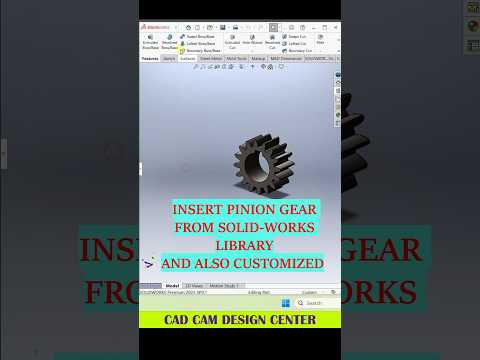
In the fast-paced world of engineering and product design, efficiency and precision are the keys to success. SolidWorks has long been the industry standard for professionals and hobbyists alike, offering a robust suite of tools that make complex designs possible. However, simply knowing how to use the software isn't enough; mastering the art of 3D Mechanical CAD requires a deep understanding of shortcuts, best practices, and innovative modeling techniques.
Why Precision Matters in 3D Modeling
Whether you are designing automotive components or intricate mechanical assemblies, the quality of your initial 3D model dictates the success of the entire project. Using 3D Mechanical CAD software like SolidWorks allows you to visualize potential issues before they ever hit the production line. To get the most out of your designs, you must focus on creating clean, parametric sketches that are easy to modify as your project evolves.
Pro-Tips for a Faster Workflow
One of the most effective ways to improve your speed in SolidWorks is to master the "S" key shortcut menu. This customizable toolbar puts your most-used commands right at your fingertips, reducing the need to navigate through nested menus.
Additionally, always aim to fully define your sketches. A blue line in SolidWorks is a sign of uncertainty; by ensuring every element is constrained with dimensions and relations, you prevent accidental shifts in your geometry that could ruin a complex assembly later on.
Optimizing Your Design Strategy
When working on 3D Mechanical CAD projects, organization is your best friend. Naming your features in the FeatureManager Design Tree might seem time-consuming at first, but it is a lifesaver when you—or a teammate—need to revisit a part weeks later. Grouping related features into folders can also help keep your workspace clean and professional.
Conclusion
Building a high-quality 3D model is a journey of continuous learning. By implementing these SolidWorks tips and staying consistent with your practice, you will notice a significant improvement in both your design speed and the structural integrity of your models. Stay curious, keep experimenting with new tools, and watch your engineering visions come to life with professional-grade precision.


