
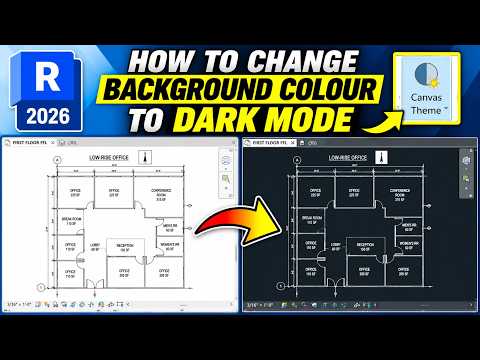
Working long hours in Revit can take a toll on your eyes, especially when staring at a bright white screen all day. Fortunately, switching your drawing canvas background to Dark Mode is an easy way to reduce eye strain and create a sleeker, modern workspace tailored to your preferences. Whether you prefer a dark canvas for drafting or need to toggle back to light mode for presentations, customizing your environment is simple.
Step-by-Step: How to Change Your Canvas Theme
Updating your drawing area appearance only takes a few clicks. Follow these simple steps to switch between Dark Mode and Light Mode:
- Open the Options Menu: Click on the File tab in the top-left corner of the screen, then select Options at the bottom of the menu.
- Navigate to the Colors Tab: In the Options dialog box, click on Colors (or User Interface, depending on your software version).
- Adjust the Canvas Theme: Locate the Canvas theme dropdown menu. Switch the setting from Light to Dark to instantly invert your drawing area background.
- Customize Background Colors (Optional): If you prefer a custom color instead of default dark mode, locate the Background color option under the Graphics or Colors tab and select your preferred hue.
- Apply and Save: Click OK to apply the changes. Your canvas will immediately update to reflect your new visual style.
Benefits of Using Dark Mode
Why should you consider making the switch? Here are a few key advantages of using a dark canvas background:
- Reduced Eye Fatigue: Dark backgrounds emit significantly less bright light, making extended design sessions much more comfortable.
- Improved Visual Contrast: Brightly colored model lines, annotations, and system elements stand out more clearly against a dark backdrop.
- Focus and Clarity: A darker canvas minimizes visual distractions, allowing you to focus entirely on your model geometry.
Personalizing your visual interface is one of the quickest ways to improve daily comfort and efficiency. Try toggling your display settings today to find the look that best supports your Revit workflow!


