
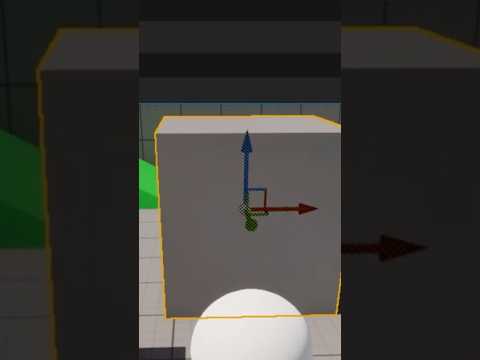
Have you ever imported a mesh into your scene only to realize its pivot point is miles away from the actual object? Working with assets in 3D Unreal Engine can sometimes feel frustrating when pivot points aren't aligned correctly. Fortunately, there is a powerful feature built right into the engine that can save you hours of round-tripping back to your modeling software: the Set Pivot Offset tool.
What is the Pivot Offset Feature?
The pivot point is the anchor of any 3D asset—it determines how an object rotates, scales, and translates within your environment. When an asset's pivot point is misplaced, placing, snapping, and animating objects becomes unnecessarily difficult.
While traditionally you would need to re-export the mesh back to Blender, Maya, or 3ds Max to fix its origin point, 3D Unreal Engine offers a native solution. The "Set Pivot Offset" feature allows you to adjust an asset’s pivot point directly within the Unreal editor viewports in just a few clicks.
How to Quickly Set Pivot Offset in Unreal Engine
Adjusting your pivot location inside your project is quick and intuitive once you know the steps:
- Select Your Asset: Click on the static mesh actor in your viewport.
- Position the Pivot: Right-click on the object (or the exact location where you want the pivot), navigate to Pivot, and choose Set Pivot Offset Here. Alternatively, you can middle-click and drag the central pivot point gizmo.
- Save the New Location: To make this change permanent for the actor, right-click the asset, go to Pivot, and select Save Pivot Offset As Default.
Streamline Your Game Development Workflow
Understanding how to manipulate pivots directly inside your scene streamlines your level design process immensely. You no longer have to break your creative flow to fix minor asset alignment issues in external modeling tools.
By mastering pivot manipulation in 3D Unreal Engine, you gain precise control over your environment art, modular asset snapping, and physics interactions. Give this quick trick a try in your next project to instantly boost your level design efficiency!


