
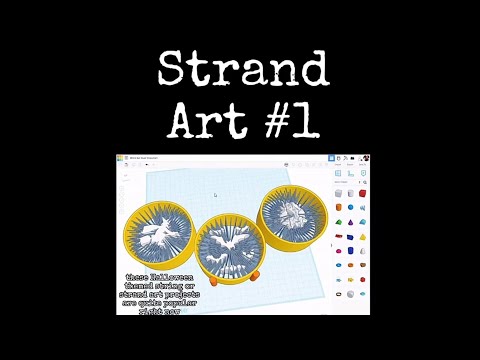
The spooky season is officially upon us, and there is no better way to celebrate than by creating your own custom decorations. If you are looking to level up your holiday decor with a unique, modern aesthetic, Tinkercad 3D is the perfect place to start. In this guide, we’re diving into the world of "Strand Art"—a visually striking technique that uses thin, interconnected lines to create intricate, web-like designs.
What is Strand Art?
Strand art relies on the concept of "stringing" or creating fine, structural lines that bridge different points of a design. While often considered a mistake in traditional 3D printing, intentional strand art creates a beautiful, skeletal effect that is perfect for Halloween themes like spider webs, ghostly silhouettes, or gothic architecture.
Getting Started with Your Design
To begin your project, log into your workspace and select a classic Halloween motif. Whether it is a jagged pumpkin, a fluttering bat, or a creepy skull, the key is to have clear anchor points. Using Tinkercad 3D, you can easily import basic shapes and modify them to act as the "frame" for your strands.
The Secret to Perfect Strands
The trick to successful strand art lies in the thickness of your connectors. You want to create paths that are thin enough to look delicate but strong enough to hold their shape once printed. Use the "Cylinder" or "Box" tools and scale them down to a very fine diameter (often between 0.8mm and 1.2mm depending on your printer’s nozzle).
By strategically placing these thin connectors between the edges of your main shape, you create a hollow, geometric lattice. This technique not only looks professional but also saves on filament and reduces printing time. Leveraging the intuitive tools within Tinkercad 3D allows you to duplicate and rotate these strands quickly to build complex patterns in minutes.
Final Touches and Printing Tips
Before you export your STL file, make sure all your strands are properly "grouped" and touching the main frame. This ensures the slicer recognizes the design as a single, continuous object. For the best results, print with a glow-in-the-dark or translucent filament to give your Halloween strand art an eerie, supernatural glow.
With a little bit of patience and creativity, you can transform a simple digital sketch into a haunting piece of 3D-printed art. Happy making!


