
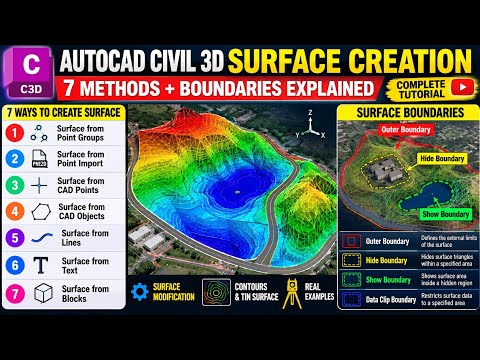
Creating a digital representation of the terrain is the cornerstone of any land development or infrastructure project. Whether you are designing a new highway or a residential subdivision, mastering Civil 3D for surface creation is an essential skill that separates professional designers from beginners. In this guide, we will explore the versatile methods available to build accurate, high-quality surfaces.
Why Surface Modeling is Critical
A surface in Civil 3D is more than just a 3D mesh; it is a dynamic object that provides the data foundation for volume calculations, contour generation, and profile analysis. By utilizing the correct creation method, you ensure that your design reflects the real-world topography with precision, reducing errors during the construction phase.
7 Powerful Methods to Create Surfaces
There is no "one size fits all" approach to modeling. Depending on the data provided by surveyors or external sources, you may need to use different techniques:
- From COGO Points: The most common method using survey data.
- From Point Groups: Organizing specific data sets for targeted surface building.
- From CAD Objects: Utilizing existing AutoCAD lines, blocks, or points.
- From Contours: Converting legacy paper maps or basic DWG contours into smart data.
- From Breaklines: Defining sharp edges like retaining walls or curb lines to improve TIN accuracy.
- From Point Clouds: Handling massive datasets from LiDAR or drone scans.
- From DEM Files: Integrating large-scale digital elevation models for regional planning.
Refining Your Model with Boundaries
Creating a surface is only half the battle; cleaning it up is where the professional touch comes in. Without boundaries, your model might "leak" or interpolate data across areas where no measurements exist, such as around the corners of a building or at the edge of a project site.
By applying Outer, Hide, or Show boundaries, you can clip the surface to its exact required extent. This ensures that your quantity takeoffs are accurate and your visual presentations remain clean and professional.
Conclusion
Understanding the various workflows within Civil 3D allows you to adapt to any project requirement. By combining different data sources and refining them with boundaries and breaklines, you can create robust surfaces that serve as a reliable base for all your engineering designs. Start experimenting with these seven methods today to streamline your civil design process.


