
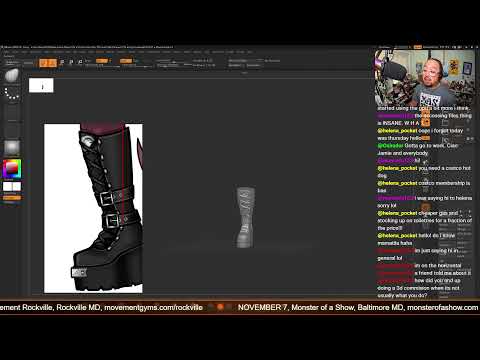
Creating detailed models for collectibles and miniatures requires a blend of artistic flair and technical precision. In this sculpting session, we dive into the final stages of crafting a stylish set of boots for a devil girl character, specifically tailored for 3D printing. Whether you are creating fantasy miniatures or full-scale statues, leveraging 3D ZBrush allows you to turn raw concepts into print-ready masterpieces.
Bringing Character Details to Life
When sculpting footwear for stylized or realistic characters, the magic lies in the texture, folds, and structural lines. In this stream recap, the emphasis is on polishing the finer details—adding sharp buckles, refining natural leather creases, and giving the boots realistic weight and volume. By using custom brushes, noise functions, and crisp edge control, the character's footwear transforms from a basic blockout into a high-fidelity piece of digital art.
Optimizing Sculpted Assets for Physical Printing
Artistic aesthetics are only half the battle when designing models meant for the physical world. Mastering a 3D ZBrush workflow for 3D printing means paying close attention to geometry, water-tight meshes, and structural integrity.
To ensure a smooth printing process without losing intricate details or suffering structural failures, consider these essential preparation steps: * Keying and Joints: Create clean cuts and keys so the boots attach seamlessly to the character's legs during assembly. * Dynamesh and Decimation: Merge subtools cleanly and decimate high-poly assets to reduce file size while preserving micro-details. * Thickness and Overhangs: Verify that thin elements like straps, buckles, and laces are thick enough to withstand resin or filament printing.
From Digital Sculpt to Physical Model
With the devil girl’s boots officially finished, the overall character sculpt reaches a exciting milestone. Using 3D ZBrush for end-to-end character development empowers digital artists to bridge the gap between imagination and tangible physical collectibles. Keep refining your brush techniques, focus on print-ready topology, and get ready to bring your digital creations to life on the print bed!


