
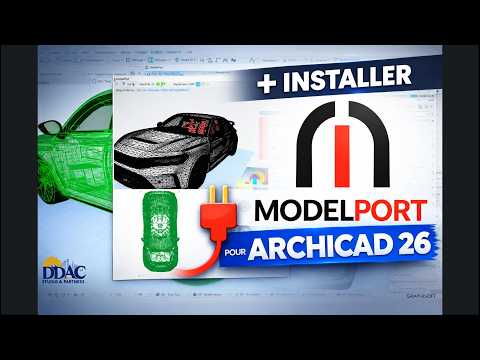
Are you looking to expand your architectural design capabilities and streamline your workflow? Importing external objects into your BIM software can sometimes be frustrating, especially when dealing with heavy polygon counts or incompatible file formats. That is where ModelPort comes in. ModelPort is an advanced library object editor and 3D model importer designed to seamlessly enhance your 3D ArchiCAD environment.
In this quick guide, we will explore why ModelPort is an essential add-on and walk you through the step-by-step installation process for ArchiCAD 26.
Why Choose ModelPort for Your Architectural Workflow?
ModelPort empowers architects and interior designers to easily import, edit, and optimize 3D models from various external software formats—including OBJ, FBX, DAE, and Revit. Instead of overloading your project files with overly complex geometry, ModelPort gives you precise control over polygon counts, surface materials, and 2D/3D display settings. By optimizing these assets, you maintain fast system performance while crafting visually stunning 3D ArchiCAD models and renderings.
Step-by-Step Installation Guide for ArchiCAD 26
Installing ModelPort for ArchiCAD 26 is quick and hassle-free. Follow these simple steps to get the plugin up and running:
- Download the Installer: Obtain the correct ModelPort setup package for ArchiCAD 26 from the official developer or authorized distributor.
- Close ArchiCAD: Ensure that ArchiCAD 26 is completely closed on your computer before launching the setup file to prevent installation errors.
- Run the Setup Wizard: Double-click the installer executable and follow the on-screen prompts. The installer will automatically locate your ArchiCAD 26 directory and place the add-on files in the appropriate folder.
- Verify via Add-On Manager: Launch ArchiCAD 26, navigate to the Options menu, and open the Add-On Manager. Confirm that ModelPort appears in the list and is active.
- Activate Your License: Enter your product key or license credentials when prompted to unlock all advanced editing and importing capabilities.
Final Thoughts
With ModelPort successfully installed, you can now effortlessly import high-quality furniture, decor, and structural elements into your workspace without sacrificing performance. It is undoubtedly one of the best tools for taking your 3D ArchiCAD projects to the next level of detail and realism. Upgrade your library setup today and experience a smoother design process!


