
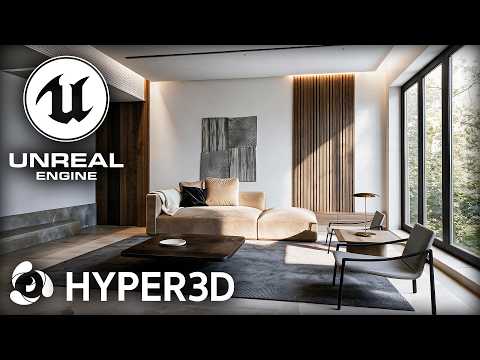
Artificial intelligence and real-time rendering are completely transforming the architectural visualization industry. Imagine taking a single 2D reference photo and turning it into a fully interactive, immersive spatial environment in just a few steps. Thanks to modern creative workflows, combining generative tools like Hyper3D WorldGen with a high-performance 3D Unreal Engine setup makes this futuristic vision a reality.
Whether you are looking to speed up your environment design or rapidly block out concept spaces, turning flat images into interactive 3D scenes has never been more accessible.
Step 1: Generating 3D Geometry with Hyper3D WorldGen
The process begins with a single 2D reference image. Instead of spending days manually modeling architectural elements, texturing individual props, and matching perspective grids, Hyper3D WorldGen does the heavy lifting. By analyzing depth cues, structural shapes, and contextual textures within the image, the tool generates a solid 3D spatial model ready for export.
This initial generative stage dramatically accelerates project timelines, allowing archviz professionals and digital artists to quickly convert client concepts into actionable 3D environments.
Step 2: Elevating the Scene in Unreal Engine 5
Once the base scene is generated, importing your spatial assets into a 3D Unreal Engine project unlocks unlimited creative potential for lighting, composition, and photorealistic polish.
To bring your generated archviz scene to life, focus on these essential adjustments: - Real-Time Lighting: Utilize Lumen global illumination to establish realistic sun positions, bounce lighting, and atmosphere. - PBR Material Upgrades: Replace preliminary textures with high-resolution Physically Based Rendering (PBR) materials for realistic wood, concrete, and glass surfaces. - Cinematic Framing: Set up virtual cinema cameras with realistic focal lengths, motion blur, and depth-of-field to showcase architectural details from multiple camera angles.
The Future of 3D Architectural Visualization
Integrating AI-assisted generation with real-time viewport power offers an unprecedented boost in production speed. By connecting Hyper3D WorldGen with a flexible 3D Unreal Engine pipeline, artists can transform static, flat ideas into rich, fully navigable architectural experiences in record time.
Try implementing this modern workflow in your next project to streamline your creative process and deliver photorealistic results faster than ever before.


