
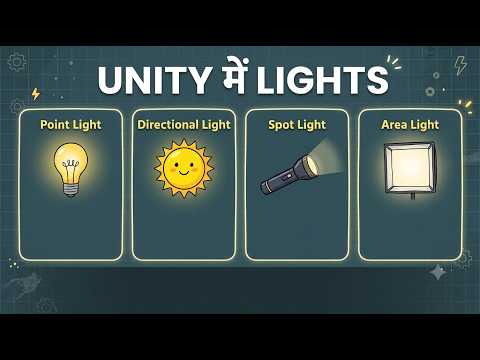
Have you ever created a detailed environment for your game, only to feel that something essential was missing? More often than not, the missing piece is proper lighting. Lighting can transform a flat, lifeless environment into an immersive visual masterpiece. If you are developing games or visual projects in 3D Unity, understanding how to use different light types effectively is crucial for setting the right mood, atmosphere, and realism.
Unity provides four primary light sources, each serving a unique purpose in your scene design. Let's break them down so you can light up your virtual worlds like a pro.
1. Directional Light (Sun Light)
A Directional Light acts like the sun or moon in your virtual world. Unlike other lights, its exact position in the scene doesn't matter—only its rotation influences how light hits your objects. It emits parallel light rays across the entire environment, making it ideal for simulating outdoor daylight, ambient skylight, or night scenes.
2. Point Light
Think of a Point Light as a bare light bulb or a glowing fireball. It emits light equally in all directions from a single point in 3D space. Point lights have a limited range and fade out naturally over distance, making them perfect for localized light sources such as street lamps, torches, indoor ceiling lights, or glowing power-ups.
3. Spot Light
A Spot Light functions just like a flashlight, stage spotlight, or car headlight. It projects light in a specific direction within a defined cone shape. You can adjust both the angle of the cone and the range of the light, giving you precise control over focused illumination. Use spot lights to draw a player's attention to key objects or to create dramatic cinematic effects.
4. Area Light
Area Lights emit light from a defined geometric surface (such as a rectangle or disc) in a single direction. Unlike other light types, Area Lights are baked (pre-calculated) and cannot be moved or changed in real-time during gameplay. They produce soft, realistic shadows and smooth lighting distribution, making them essential for high-end interior scenes in 3D Unity.
Final Thoughts
Mastering these four essential light sources is key to elevating your visual presentation in 3D Unity. By thoughtfully combining directional, point, spot, and area lights, you can add depth, emotion, and polish to your game levels. Start experimenting with light intensity, color temperature, and shadow settings today to bring your 3D worlds to life!


