
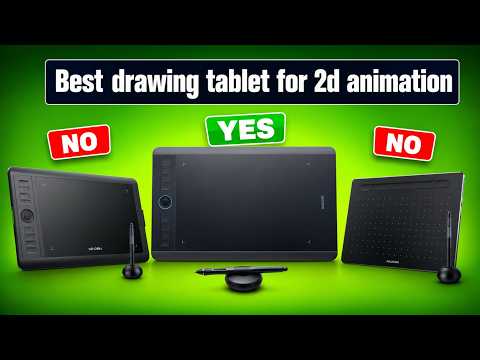
Creating frame-by-frame masterpieces requires not just creativity and patience, but also the right tools. Whether you are a professional animator or an aspiring illustrator, choosing the right tablet for 2D drawing and animation can dramatically elevate your workflow, speed, and precision.
With dozens of graphics tablets flooding the market, finding the perfect match can feel overwhelming. In this guide, we break down what makes a tablet ideal for digital animation and highlight the essential features to consider before buying.
Key Features to Consider for Animation
Before investing in a graphics tablet, it is essential to understand which specs matter most for digital frame-by-frame artwork:
- Pressure Sensitivity: Aim for a tablet with at least 8,192 levels of pressure sensitivity. Fine pressure control is vital for detailed 2D drawing line work, varied stroke weight, and clean line-art passes.
- Display vs. Non-Display: Pen displays allow you to draw directly on screen, offering an intuitive, pen-on-paper feel ideal for fast animation sketching. Non-display pen tablets are more affordable, portable, and encourage better ergonomic posture.
- Customizable Shortcut Keys: Physical buttons or quick dials speed up your timeline navigation, frame switching, brush resizing, and undo commands without touching your keyboard.
- Stylus Latency & Tilt Support: Minimal lag and responsive tilt support keep your strokes fluid, ensuring your character designs feel organic and expressive.
Top Tablet Types for Animators
-
Professional Screen Displays: For studio environments and heavy workloads, screen displays are the gold standard. High color accuracy and expansive active areas make managing complex animation timelines visual and effortless.
-
Budget Pen Tablets: If you are just beginning your animation journey, a traditional pen tablet delivers top-tier precision without breaking the bank. They are compact, exceptionally durable, and easy to carry everywhere.
-
Standalone Mobile Tablets: For artists who prefer working on the go, portable tablet options offer powerful animation software support, high refresh rates, and unmatched portability.
Final Thoughts
The right graphic input device ultimately depends on your budget, desk space, and mobility preference. Upgrading your hardware setup will make your 2D drawing workflow smoother, more intuitive, and far more enjoyable. Pick the model that best fits your workflow and start bringing your creative visions to life today!


