
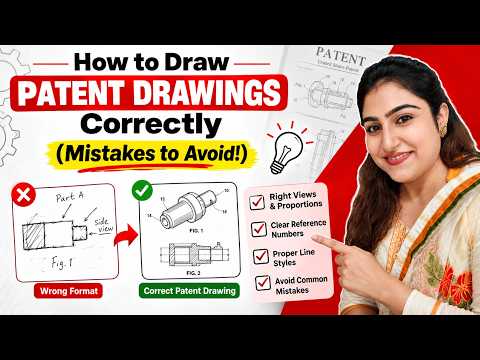
When protecting your intellectual property, visual representation is just as critical as your written claims. Whether you are filing a utility patent to protect a mechanism or a design patent to safeguard an aesthetic appearance, high-quality patent drawings are mandatory. Creating a precise 2D drawing can mean the difference between a seamless approval process and an expensive, time-consuming rejection from patent offices like the USPTO.
In this comprehensive guide, we break down everything you need to know about preparing compliant patent illustrations for both utility and design applications.
Utility vs. Design Patent Drawings: What’s the Difference?
Understanding the nature of your invention dictates how your visuals should be constructed: - Utility Patent Drawings: These illustrations focus on functionality, structure, and operation. They use reference numbers, exploded views, and cross-sections to explain how an invention works step-by-step. - Design Patent Drawings: These visuals strictly focus on the ornamental appearance of an object. Every solid line represents a claimed visual feature, while broken lines show the environment or unclaimed context.
Key Guidelines for a High-Quality Patent Illustration
Patent offices around the world maintain strict graphical standards. To ensure your 2D drawing passes examination without friction, keep these fundamental guidelines in mind:
- Consistent Line Styles: Use solid black lines for visual elements and dashed lines for hidden or environmental features. Avoid using colors unless specifically requested and permitted.
- Multiple Perspectives: Include top, bottom, front, back, and isometric perspectives to provide a complete visual explanation of the invention.
- Proper Scale and Margins: Adhere to standardized page sizes, margins, and line weights so your figures remain legible when scaled down or digitized.
Avoiding Rejections with Professional Execution
The most common reason patent applications face official actions or delays is poor-quality visuals. Inconsistent shading, unclear reference numbers, or incorrect proportions in your 2D drawing can lead to immediate rejection by patent examiners.
While many inventors attempt DIY drawings using basic graphics software, leveraging specialized CAD tools or consulting with experienced patent illustrators ensures full compliance with international standards. Investing in precise visual documentation from the start saves valuable time and safeguards your legal rights.
Ready to transform your innovative ideas into patent-ready assets? Ensure your visual specifications meet every regulatory standard to fast-track your patent approval today.


