
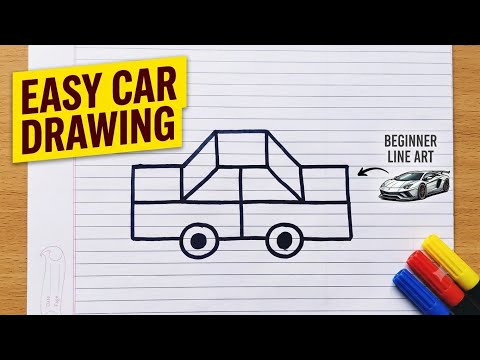
Drawing a car might seem complex at first glance, but breaking it down into basic geometric shapes makes it surprisingly simple. Whether you are a parent looking for a fun activity for your kids or an adult starting your artistic journey, mastering a basic 2D drawing of a car is a great way to build confidence and hone your pencil skills.
In this guide, you will learn how to transform basic straight lines, rectangles, and circles into a sleek, recognizable automobile in just a few easy steps.
Why Start with Basic Lines and Shapes?
Before diving into advanced shading or perspective techniques, every artist starts with fundamental shapes. Creating a clean, flat 2D drawing allows you to focus on proportions and smooth line art without getting overwhelmed by 3D perspective or realistic textures. By combining simple geometry—such as circles for wheels and rectangles for the car's body—anyone can construct impressive sketches in just a few minutes.
Step-by-Step Car Drawing Process
Ready to get started? Grab a piece of paper, a pencil, and an eraser, and follow these simple steps:
- Set the Foundation (Wheels and Base): Start by sketching two identical circles spaced a short distance apart. Connect them with a straight horizontal line slightly above their centers to create the bottom chassis of the car.
- Construct the Main Body: Draw a long, low rectangle extending just past both wheels to form the lower car body. Add small bumper lines at the front and back ends.
- Add the Cabin and Windows: Above the middle of the main body, draw a trapezoid or a sloped box to represent the roof and windshields. Draw a vertical line down the middle of this shape to separate the front and rear windows.
- Incorporate the Details: Add smaller inner circles to the wheels for rims, sketch small rectangular door handles, and place headlights and taillights on the outer edges of the body.
Enhancing Your Art Skills
Once you are comfortable with the basic outline, feel free to get creative! Add bold colors, racing stripes, or fun background elements like roads and trees. Practicing this straightforward 2D drawing technique regularly will improve your line control, spatial awareness, and creative confidence.
Grab your sketchpad today, and watch simple lines transform into a fantastic work of art!


