
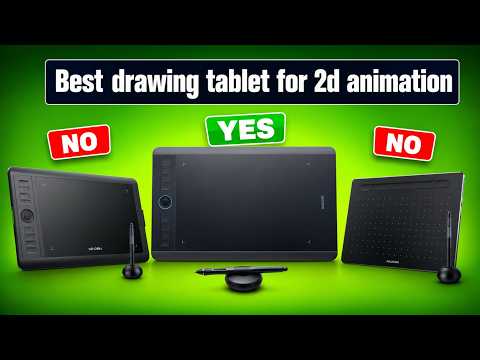
Creating smooth, expressive frame-by-frame animation requires more than just talent—it demands the right tools. Whether you are a beginner learning the basics of character design or a seasoned professional working on complex sequences, choosing the right tablet can completely transform your creative workflow. Elevating your digital art starts with finding a hardware setup tailored specifically to 2D drawing and animation.
Essential Features to Consider
Not all graphics tablets are created equal when it comes to animation. To get the best experience, keep these crucial factors in mind before making a purchase:
- Pressure Sensitivity & Tilt Support: Precision is key when sketching fluid line work. High pressure sensitivity allows you to create subtle variations in line weight naturally.
- Display vs. Non-Display: Screen tablets offer an intuitive experience where you draw directly on your artwork, while non-display graphic tablets are budget-friendly and offer great ergonomics.
- Shortcut Keys: Customizable express keys save valuable time by allowing quick access to undo, zoom, brush resizing, and timeline navigation.
Optimizing Your Setup for Animation
When selecting a device for 2D drawing, color accuracy and screen resolution become paramount. A display with high sRGB coverage ensures that your character renders and background art look consistent across different screens and export formats. Furthermore, a low-latency stylus is essential for fast hatching, quick line work, and fluid ink strokes.
Compatibility is another vital aspect. Ensure your chosen tablet seamlessly integrates with industry-standard software such as Adobe Animate, Toon Boom Harmony, TVPaint, and Clip Studio Paint.
Finding the Best Match for Your Budget
You don’t need to break the bank to start animating. While high-end pen displays offer ultimate power for professional studios, entry-level graphic tablets provide incredible accuracy for artists on a budget. Mid-range pen displays hit the sweet spot, giving you direct screen interaction without a massive price tag.
Ultimately, the best tablet is one that feels like a natural extension of your hand. Investing in the right hardware for 2D drawing will streamline your production workflow and bring your static sketches to life!


