
Whether you are a beginner stepping into the world of 3D modeling or an experienced designer looking to refine your workflow, AutoCAD provides a robust set of tools to transform flat geometry into complex, detailed 3D structures. Among the most essential techniques for solid modeling are Boolean operations.
Boolean operations allow you to combine, cut, and compare different 3D shapes seamlessly. In this guide, we will break down the three fundamental Boolean commands—UNION, SUBTRACT, and INTERSECT—so you can master 3D modeling with ease.
Understanding the Three Core Commands
To build intricate 3D models efficiently, you must understand how these three primary tools interact with solids and surfaces in AutoCAD:
-
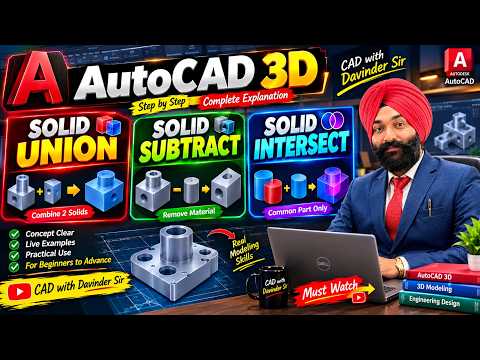
UNION (Combine Shapes): The UNION command allows you to merge two or more individual 3D solids, surfaces, or 2D regions into a single, unified object. This is ideal when constructing continuous mechanical parts or architectural elements where separate geometry needs to act as a single piece.
-
SUBTRACT (Remove Geometry): The SUBTRACT command lets you cut out one shape from another. By selecting the main base object first and then choosing the object you wish to remove, you can easily create holes, grooves, slots, or custom cutouts in your model.
-
INTERSECT (Find Overlapping Volume): The INTERSECT command creates a new 3D solid from the shared volume of two or more overlapping objects. Everything outside the overlapping region is deleted, leaving behind only the common shape. This is particularly useful for creating complex geometric profiles and intricate interlocking parts.
Tips for Mastering 3D Boolean Operations
- Keep Backups: Always keep a copy of your base geometry before applying a Boolean operation. Once objects are merged or subtracted, editing individual original components can be challenging.
- Ensure Objects Overlap: Boolean operations rely on geometric intersection. Make sure your objects are overlapping correctly before executing the commands.
- Use Clean Geometry: Ensure your 2D sketches or 3D solids are fully closed and free of errors to prevent command failures.
Conclusion
By incorporating UNION, SUBTRACT, and INTERSECT into your daily design routine, creating complex 3D models in AutoCAD becomes significantly faster and more intuitive. Start experimenting with these core commands today to elevate your engineering and architectural projects to a professional standard!


