
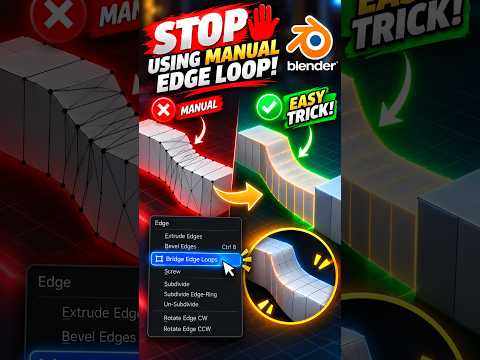
If you have been creating curved surfaces, cables, or smooth connections by painstakingly moving individual vertices and adding dozens of manual edge loops, you are doing it the hard way. Modeling smooth geometry is one of the most common hurdles for digital artists, but sticking to manual methods heavily slows down your production speed.
Fortunately, mastering precise, clean curves in 3D Blender doesn't require endless vertex tweaking. By leveraging native curve tools and procedural modifiers, you can generate flawless curved connections in a fraction of the time.
The Problem with Manual Curve Modeling
Extruding edges one by one to form a bend often leads to uneven shading, messy topology, and inconsistent curvature. Every time you need to adjust the bend radius or thickness, you are forced to move multiple vertices individually. This destructive approach wastes valuable editing time and makes later client revisions a total nightmare.
A Smarter Approach to Curves in 3D Blender
Instead of relying on manual polygon manipulation, shift your workflow toward path-based objects and procedural tools in 3D Blender. Here is how you can instantly streamline your process:
- Leverage Bézier Curves: Start by adding a Bézier curve to define your path. You can manipulate handle types to achieve an effortless, mathematically smooth bend without creating heavy geometry upfront.
- Utilize Built-in Bevel Controls: Under the Curve Data Properties, use the Bevel settings to add immediate depth and roundness. This allows you to adjust the thickness dynamically at any stage of your project.
- Combine Modifiers for Complex Meshes: If you need to bend an existing high-detail mesh, pair a Curve Modifier with your object. This keeps your base topology clean while offering flexible, non-destructive deformation along your custom path.
Key Benefits of Curve-Driven Workflows
Upgrading your technique from manual edge loops to curve-based modeling transforms your entire asset creation pipeline:
- Non-Destructive Flexibility: Adjust path geometry, scale, or thickness at any point without redoing your work.
- Flawless Topology: Maintain uniform polygon distribution across complex joints and bends.
- Massive Time Savings: Construct intricate pipe networks, handles, and architectural details in seconds rather than hours.
Next time you open 3D Blender, stop wasting time with manual edge loops. Embrace curve-driven techniques to produce cleaner models, speed up your workflow, and achieve professional results effortless!


