
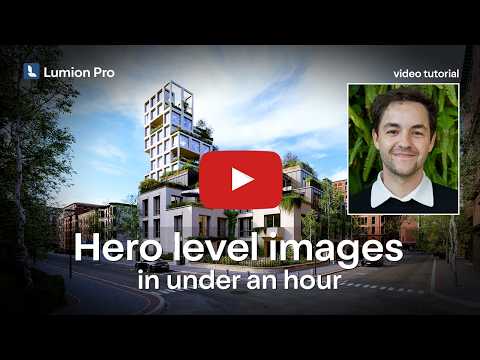
Transforming a standard architectural visualization into a breathtaking, portfolio-worthy image is the ultimate goal for any designer. If you have ever felt stuck with flat lighting and generic preset styles, elevating your architectural visualization using 3D Lumion doesn't have to take days. With the right workflow, you can turn a basic scene into a hero-level render in under an hour.
Here are the expert tips to help you create stunning, lifelike architectural images fast.
Move Beyond Default Presets
While built-in presets provide a great starting point, relying on them too heavily often leads to artificial-looking results. To give your visual a distinctive edge, start by customizing your atmospheric settings. Fine-tuning volumetric lighting, real skies, and weather effects helps anchor your building into a realistic environment. By tweaking light sources and shadow softness in 3D Lumion, you can instantly evoke emotion and highlight the best architectural features of your design.
Layer Realism with Custom Textures and Imperfections
In the real world, nothing is perfectly clean or flat. Achieving a hero-level render requires paying close attention to materials and subtle details: * Add Surface Imperfections: Introduce subtle weathering, dust, or scuffs to materials to make surfaces feel lived-in. * Adjust Weathering and Edges: Soften sharp 3D model edges and add realistic bump maps to capture light naturally. * Focus on Foliage and Context: Mix varied scale and placement for trees and plants so the surroundings look organic rather than copy-pasted.
Optimize Your Lighting and Camera Angles
A hero render tells a story, and camera placement is key. Instead of taking standard eye-level snapshots, experiment with dramatic low-angle shots or close-up detail shots that emphasize material quality. Utilize depth of field to direct the viewer’s eye precisely where you want it, drawing focus to your main subject while softly blurring the background.
Achieve Professional Results in Record Time
Mastering 3D Lumion isn't about working harder; it’s about working smarter. By streamlining your render stack and mastering a few essential lighting and material adjustments, you can consistently produce high-impact, professional renders without spending endless hours rendering. Start applying these tips today and watch your architectural renders transform from simple stills into true hero shots!


