
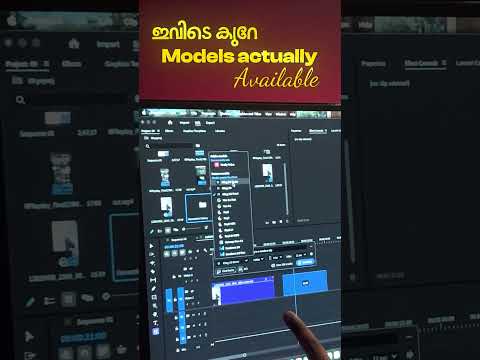
The landscape of video editing is shifting at an unprecedented pace, and with the latest 2026 updates to Adobe Premiere Pro, the line between traditional editing and advanced visual effects has blurred. For creators looking to stay ahead of the curve, understanding these new AI-driven features is no longer optional—it is a necessity.
The Rise of Generative AI in Video Editing
Adobe has integrated Firefly-powered AI directly into the Premiere Pro timeline, fundamentally changing how we approach post-production. The most significant shift is the introduction of "Generative Extend." We have all faced the frustration of a clip being just a few frames too short for a perfect transition. With the new AI engine, Premiere Pro can now generate entirely new frames to extend media, making it a more versatile VFX tool for editors who need seamless continuity.
Precision Object Removal and Addition
Gone are the days when you had to export every single shot to After Effects for minor clean-ups. The 2026 update introduces smart object selection and removal. Whether it is a stray power line in a scenic shot or a boom mic peaking into the frame, the AI can analyze the surrounding pixels and "paint" over unwanted elements with staggering accuracy. This transformation of the software into a localized VFX tool allows editors to handle complex retouching tasks without ever leaving their main sequence.
Text-to-Video and Workflow Efficiency
Perhaps the most futuristic addition is the Text-to-Video integration. Editors can now type prompts to generate B-roll or placeholder backgrounds directly within the project panel. While it doesn't replace the need for high-quality cinematography, it serves as an incredible asset for mood boarding and filling gaps in a story.
By leveraging Premiere Pro as a comprehensive VFX tool, creators can significantly reduce the "round-trip" time between different applications. The AI handles the tedious masking and tracking, leaving the editor with more room for creative storytelling.
Conclusion: A New Era for Creators
The 2026 AI features in Adobe Premiere Pro are designed to augment human creativity, not replace it. By mastering these automated workflows, you can focus on the narrative while the AI handles the technical heavy lifting. Whether you are a YouTuber, a filmmaker, or a social media content creator, these tools are set to redefine what is possible in modern video production.


