
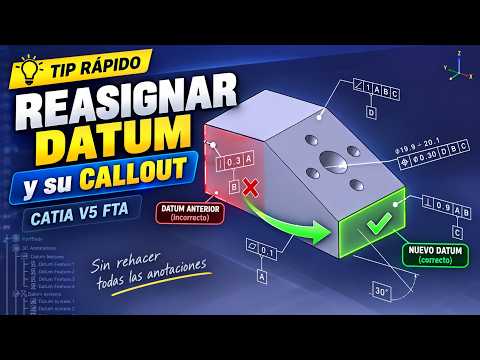
When working on complex mechanical models, managing 3D annotations efficiently is crucial for precise manufacturing instructions. Utilizing 3D Catia tools like the Functional Tolerancing and Annotation (FTA) workbench allows engineers to define dimensions, geometric tolerances, and datums directly on the 3D model. However, design revisions frequently require reassigning a datum feature or its callout to a new geometric reference.
If an annotation becomes misaligned or linked to the wrong surface, recreating it from scratch is an unnecessary drain on productivity. Fortunately, CATIA V5 provides a fast, built-in method to reassign references while keeping your annotation structure intact.
Why Correct Datum Reassignment is Critical
Maintaining an accurate Model-Based Definition (MBD) requires 3D annotations to stay dynamically linked to the correct design features. Deleting and rebuilding callouts can disrupt links in downstream applications, such as assembly drawings or CAM software. Reassigning references directly keeps your specification tree organized and prevents annotation errors across design iterations.
Steps to Reassign a Datum and Callout in CATIA V5 FTA
To update your geometric reference without losing existing tolerance data, follow this quick process:
- Locate the Target Annotation: Identify the datum or callout in the 3D viewport or the specification tree.
- Access the Contextual Menu: Right-click the annotation element, navigate to its object properties, and select the option to modify its geometric reference.
- Select the New Geometry: Click on the new face, plane, or edge that should serve as the updated datum reference.
- Validate the Alignment: Ensure the leader line and callout orientation dynamically adjust to the new reference feature, then confirm the changes.
Streamline Your 3D CAD Workflow
Mastering these quick modification tips in 3D Catia significantly speeds up design modifications and improves 3D annotation accuracy. By leveraging the full capabilities of the CATIA V5 FTA workbench, you can maintain clean, production-ready 3D models with minimal effort.


