
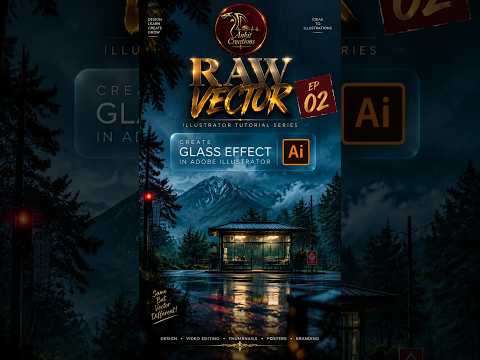
The glassmorphism trend has taken the digital design world by storm. From sleek mobile app interfaces to vibrant digital illustrations, incorporating a polished glass appearance can instantly elevate the visual appeal of your graphics. Mastering this technique in Adobe Illustrator is an essential skill for modern graphic designers looking to enhance their vector art projects.
In this quick guide, we’ll break down how you can craft a realistic glass effect using essential vector tools.
1. Prepare Your Background and Base Shape
To make a glass effect truly stand out, you need a colorful background beneath it. Glass is transparent, so its realistic appearance relies heavily on how it refracts and showcases the elements underneath.
Start by placing a colorful graphic or pattern on your artboard. Next, draw the object that will become your glass panel—whether it is a simple rounded rectangle, a sleek circle, or a custom silhouette.
2. Apply Gradients and Transparency Settings
The secret to realistic glass lies in subtle gradient fills and opacity adjustments: - Gradient Fill: Apply a linear gradient across your shape, utilizing white or light pastel tints on both slider ends. - Opacity Control: Set one end of the gradient to around 40–50% opacity and the other end to 10–20%. This creates a believable transition from semi-opaque to near-transparency. - Blending Modes: Experiment with blending modes like Overlay or Soft Light to make the glass layer interact naturally with the background.
By blending soft gradients with semi-transparent fills, you can give your vector art depth and a realistic, tactile feel.
3. Add Crisp Edge Highlights and Reflection
A true glass panel features sharp light reflections along its edges. To recreate this specular highlight: - Duplicate your main shape and remove the fill color, keeping only a thin border stroke. - Apply a white-to-transparent gradient across the stroke to mimic light striking the edge. - Add a subtle drop shadow behind the panel to give it separation and a floating 3D perspective.
Conclusion
Creating glass reflections doesn't have to be complicated. With a smart combination of gradients, opacity settings, and crisp edge highlights, you can bring compelling, modern textures to your vector art. Try integrating this technique into your next icon, UI layout, or illustration project to give your work a polished professional look!


