
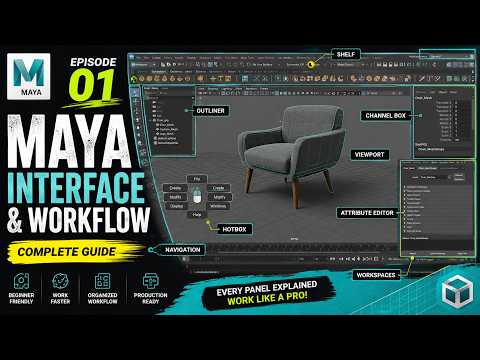
Are you ready to step into the exciting world of 3D animation, visual effects, and game design? Whether you dream of creating cinematic blockbuster scenes or designing stylized video game characters, learning 3D Maya is your ultimate gateway to success. As the premier industry-standard software used by top studios worldwide, Autodesk Maya offers limitless creative possibilities.
However, launching the application for the very first time can feel intimidating due to its vast array of menus, viewports, and complex toolbars. That is exactly why we launched Episode 01 of our comprehensive learning series, MAYA — From Zero to Final Frame. This tutorial series is meticulously designed to take absolute beginners from square one to rendering polished, final frames with confidence.
Navigating the Workspace with Ease
The key to mastering any powerful creative tool is understanding its workspace. In this introductory guide, we break down the user interface into bite-sized, digestible components. You will learn how to seamlessly navigate the main 3D viewport, customize your layout for a better workflow, and utilize critical panels like the Outliner, Channel Box, and Attribute Editor. Demystifying the user interface early on ensures that navigating 3D Maya quickly becomes second nature.
Essential Modeling Tools for Beginners
Once you feel comfortable moving around the workspace, it is time to start building. Episode 01 walks you through the core transformation controls—Move, Rotate, and Scale—along with essential hotkeys that will speed up your workflow. You will discover how to generate basic geometric primitives and manipulate different component modes, including vertices, edges, and faces, to begin shaping your own 3D models.
Start Your 3D Animation Journey Today
Embarking on a new creative path should be exciting, not confusing. By establishing a strong foundation in workspace navigation and basic object manipulation, mastering 3D Maya becomes a smooth and rewarding experience.
Check out Episode 01 of our series today, take control of the interface, and start turning your imaginative concepts into stunning 3D reality!


