
Transitioning your 3D CAD designs into clear, actionable manufacturing blueprints is an essential skill for designers, engineers, and hobbyists alike. If you are using Alibre Atom3D, generating your very first 2D drawing is much simpler than you might think. Alibre Atom3D provides an intuitive workspace designed to bridge the gap between 3D parametric modeling and traditional 2D technical documentation.
Setting Up Your Workspace and Views
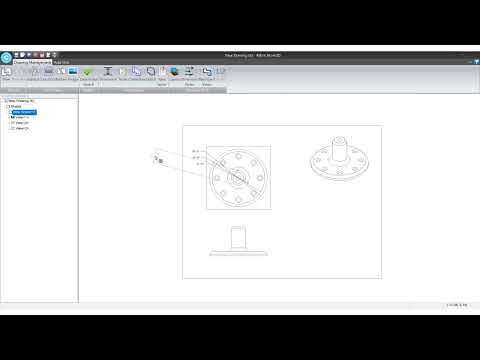
Before creating your drawing, ensure your 3D model is fully detailed and saved. Once ready, open a new drawing template within Alibre Atom3D. The software allows you to project your 3D part directly onto the drawing sheet using standard orthographic views—such as front, top, side, and isometric perspectives. Arranging these views logically on your sheet layout provides a solid foundation for any engineering plan.
Adding Precise Dimensions and Annotations
After establishing your view layout, the next step in producing a complete 2D drawing is inserting accurate dimensions and annotations. Alibre Atom3D features intelligent dimensioning tools that pull measurement data straight from your underlying 3D model. You can quickly add centerlines, title block information, and customized notes to communicate important manufacturing requirements without cluttering the display.
Finalizing and Exporting Your Blueprint
Once all dimensions and notes are positioned, perform a quick visual review to ensure maximum readability. Verify that dimensions do not overlap and that the chosen drawing scale fits your sheet cleanly. When satisfied, you can export your finished 2D drawing to universal file formats like PDF or DWG for seamless sharing with production teams, clients, or print services.
Join the Community
Mastering 2D drafting takes a bit of practice, but Alibre Atom3D streamlines the entire process. As you work on your projects, don't hesitate to engage with other creators. Join our online forum to ask questions, share your design examples, and get expert advice on improving your CAD workflow!


