
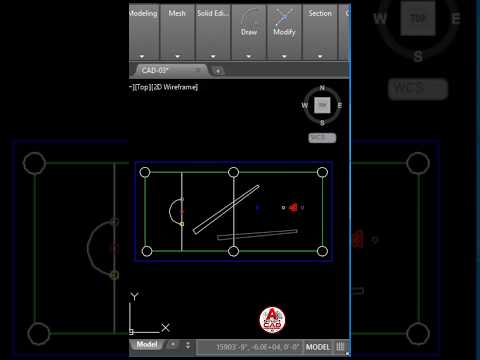
Are you looking to jumpstart your career in architecture, engineering, or design? Learning AutoCAD is one of the most valuable investments you can make. As the industry standard for computer-aided design, mastering the fundamentals of 2D drawing opens up endless possibilities for creating precise floor plans, mechanical schematics, and technical blueprints. Whether you are a complete novice or refreshing your skills, this guide will help you build a solid foundation.
Getting Started with the Basics
Starting with AutoCAD can feel overwhelming due to its vast array of tools and panels. However, focusing on essential functions makes the learning curve much smoother. Begin by familiarizing yourself with core draw commands such as Line, Circle, Polyline, and Rectangle. Pair these with basic modify tools like Trim, Extend, Copy, and Move.
Understanding how to use the Command Line efficiently will dramatically speed up your drafting speed and help you navigate the software interface with confidence.
Essential AutoCAD Tips for Productivity
To create professional-quality projects, organization and accuracy are key. Here are a few pro tips to boost your workflow:
- Utilize Layers: Keep your drawing organized by assigning different line types, colors, and objects (such as dimensions, text, and structural walls) to dedicated layers. This makes editing and managing complex files simple.
- Enable Object Snaps (OSNAP): Precision is non-negotiable in CAD. OSNAP ensures your lines connect perfectly at endpoints, intersections, and midpoints without manual guessing.
- Master Keyboard Shortcuts: Memorizing quick commands—like pressing 'L' for Line or 'C' for Circle—saves valuable time compared to searching through ribbon menus.
By incorporating these habits early on, your 2D drawing process will become significantly faster, cleaner, and less prone to costly errors.
Why Focus on Two-Dimensional Design First?
While 3D modeling often gets a lot of attention, establishing strong technical drafting skills in two dimensions is a crucial prerequisite. Every complex 3D render or architectural model begins with a precise flat layout. Building strong accuracy habits now will make transitioning to advanced design software and modern drafting workflows far easier down the road.
Conclusion
Taking your first steps into AutoCAD does not have to be intimidating. By practicing core commands, keeping your workspace organized, and following proven tips, you will quickly gain confidence in your 2D drawing abilities. Open AutoCAD today and start turning your ideas into precise digital designs!


