
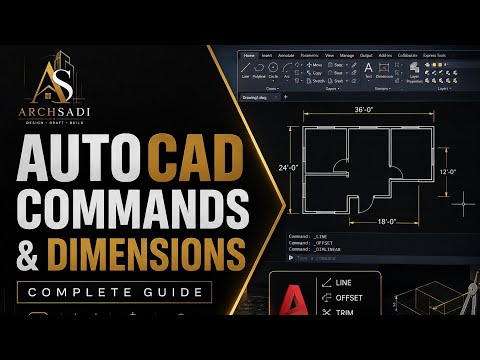
Are you ready to step into the world of Computer-Aided Design (CAD)? Whether you are an aspiring architect, engineer, or designer, mastering AutoCAD is a crucial first step. AutoCAD remains the industry-standard software for technical design, making it the ultimate tool for precise 2D drawing and drafting.
For beginners, the interface can seem overwhelming at first glance. However, once you learn the fundamental commands and navigation tools, drafting becomes remarkably intuitive. In this guide, we will break down the essential tools you need to get started today.
Essential AutoCAD Commands Every Beginner Should Know
To build a solid foundation, you need to familiarize yourself with basic drawing and editing commands. Here are the core commands every beginner must learn:
- Line (L): The most basic building block in CAD. It allows you to create straight line segments easily.
- Circle (C) & Rectangle (REC): Essential geometric shapes used in almost every blueprint or schematic.
- Trim (TR) & Extend (EX): Crucial editing tools used to clean up overlapping lines or stretch lines to meet other objects.
- Offset (O): Generates parallel lines or concentric circles at a specified distance, which is perfect for drawing walls or borders.
- Move (M) & Copy (CO): Allows you to manipulate objects across your workspace quickly without recreating them.
Key Tools to Streamline Your Workflow
Beyond basic drawing commands, AutoCAD offers built-in productivity tools that ensure accuracy and efficiency. Mastering these features will significantly speed up your 2D drawing workflow:
- Object Snap (OSNAP): Ensures absolute precision by snapping your cursor to specific geometric points like endpoints, midpoints, and intersections.
- Layers (LA): Helps you organize your workspace by grouping similar objects (e.g., walls, dimensions, text) and controlling their visibility, color, and line weight.
- Dimensioning (DIM): Adds precise measurements to your drawn shapes, turning a simple sketch into an actionable technical plan.
Tips for Mastering AutoCAD Quickly
The secret to becoming proficient in CAD is consistency and keyboard efficiency. Instead of searching for and clicking icons on the ribbon interface, try memorizing command shortcuts. Using hotkeys will dramatically increase your drafting speed over time.
By practicing these core tools regularly, you will quickly transition from drawing basic shapes to crafting complex architectural layouts. Stay patient, keep experimenting, and you will soon be creating professional 2D drawing projects with confidence and accuracy!


