
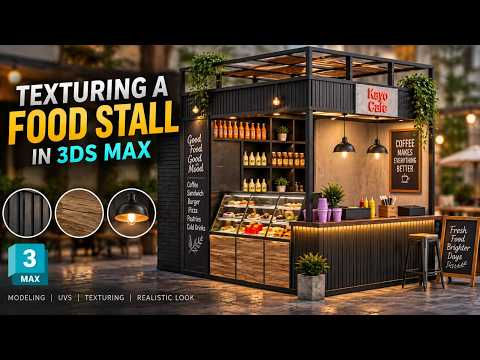
In the competitive world of trade shows and corporate events, a captivating 3D exhibition booth design can make all the difference. While a well-built 3D structure sets the foundation, realistic texturing is what brings the entire concept to life. If you want to elevate your architectural visualizations and impress clients, learning how to texture an exhibition stall in 3ds Max is an essential skill for any 3D artist.
Step 1: Prepare Your Model and UV Maps
Before diving into material creation, ensure your 3D geometry is clean and properly organized. Applying a UVW Map modifier to your exhibition elements—such as backdrop walls, display counters, and overhead branding graphics—is crucial. Proper UV mapping ensures that logos and material patterns stretch naturally across surfaces without unexpected distortion.
Step 2: Set Up Realistic Materials
To achieve photorealism, leverage Physically Based Rendering (PBR) materials. Break down your stall into distinct surface types: - Glossy Vinyl & Graphics: Ideal for branded backdrop panels and signage. - Brushed Metals & Glass: Great for structural trusses, display stands, and showcase cabinets. - Wood Laminates & Fabrics: Perfect for flooring and lounge seating to add depth and warmth.
Combine diffuse maps with bump, roughness, and reflection maps to mimic real-world surface characteristics. Utilizing standard material workflows within 3ds Max allows you to fine-tune reflection glossiness and add subtle imperfections that enhance realism.
Step 3: Lighting and Final Adjustments
Textures only look as good as the light hitting them. Set up a balanced lighting rig using HDRI environment maps alongside localized spotlights to highlight key product areas. Run quick test renders to tweak your material parameters until reflections, shadows, and color contrasts look natural.
Conclusion
Transforming a basic 3D model into an eye-catching event booth comes down to material detail and texture precision. By mastering these essential texturing techniques in 3ds Max, you can produce realistic, professional renders that win client approvals and showcase your design expertise.


