
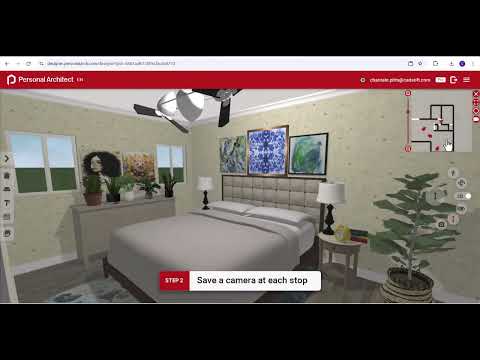
Presenting architectural concepts to clients can sometimes feel challenging, especially when trying to convey the full spatial feel of a structure. Static renders tell only part of the story. If you want to truly impress your clients and bring your proposals to life, mastering interactive walkthroughs is essential. Modern 3D design tools allow architects and interior designers to create immersive visual experiences that make project presentations effortless and engaging.
Why Use Camera Tours in Architectural Presentations?
While static images are great for quick updates, dynamic camera tours provide an authentic sense of scale, flow, and atmosphere. By setting up a fluid walkthrough, you allow clients to experience their future space as if they are physically walking through it. This immersive technique helps clients visualize spatial relationships far better than standard floor plans, speeding up the decision-making process and elevating your professionalism.
How to Build a Smooth 3D Walkthrough
Creating an engaging walkthrough with Personal Architect Online is straightforward once you know the basics. Here is how you can transform your static views into a captivating virtual tour:
- Save Strategic Viewpoints: Navigate through your model and set camera positions at key areas of interest. Focus on high-impact focal points such as main entrances, open-plan living rooms, and detailed custom features.
- Link Viewpoints into a Camera Tour: Once your key angles are saved, connect them using the Camera Tour feature. The software automatically calculates smooth transitions between each viewpoint, creating a seamless, video-like flythrough.
- Fine-Tune Pacing and Angles: Adjust the transition speeds so the camera moves smoothly without abrupt turns. A steady, gentle movement allows viewers to comfortably absorb room dimensions, lighting, and material finishes.
Guide Clients to Better Decisions
Integrating automated tours into your 3D design workflow fundamentally improves how you communicate with clients. Instead of struggling to interpret technical blueprints, clients get a clear, realistic preview of the final build. This clear visualization reduces misunderstandings and minimizes costly late-stage revisions. By leveraging these powerful camera tour features, you can showcase the full potential of your 3D design projects and deliver a polished, memorable presentation every time.


